A watercolour of a couple on a meadow above a river, their guests gathered nearby

Bouquet

Connectingyou to your guestsand your guests toeach other

Bouquet is only in the browser, on desktop and mobile. No download required.

Connecting you to your guests
and your guests to each other.

Get ready

You & your cohosts

Bring your people together

Invite cohosts, your planner, and support staff. Create or import your guest list and organize guests into groups.

Your guests

It starts with an invitation

Your guests join when you’re ready to invite them.

You & your cohosts

Make it official

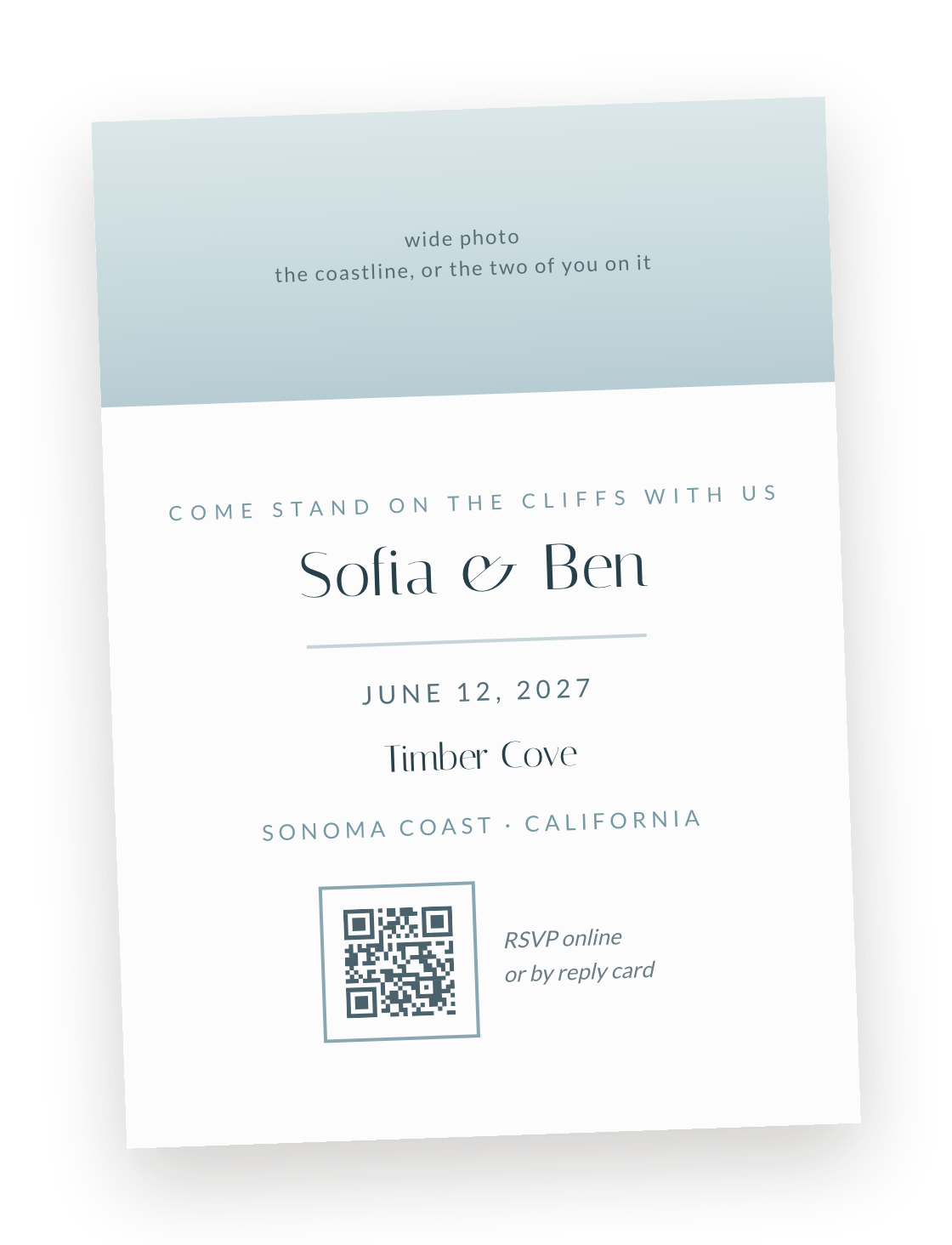
Design invites if you like, and send an optional save the date. Send invitations on paper, digitally, or both.

Your guests

Receive your save the date or invite

Open your wedding’s Bouquet from a link or QR code.

You & your cohosts

Choose your RSVP questions

Collect the answers you need and remind late responders, automatically if you like.

Your guests

RSVP and join Bouquet in one step

Create an account with Google, Apple, email, or phone as they RSVP. Share dietary needs, plus-one details, and answers to your questions.

Before the wedding

You & your cohosts

Keep everyone in the know

Add when, where, dress code, and travel details. Send announcements and answer guest questions.

Your guests

Find the details. Ask a question.

Check the wedding guide and message the hosts when something needs clarifying.

You & your cohosts

Give your guests a head start

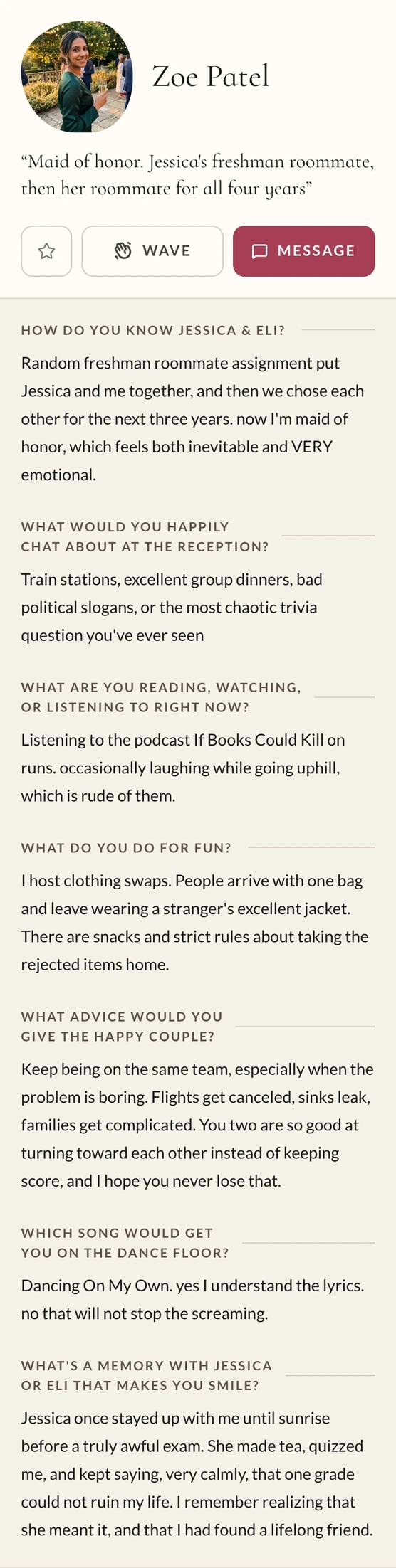
Choose profile prompts and help friends and family get to know each other.

Your guests

Meet the other guests

Add an optional profile anytime. Browse the directory, wave or message, and receive automatic introductions before and during the wedding.

You & your cohosts

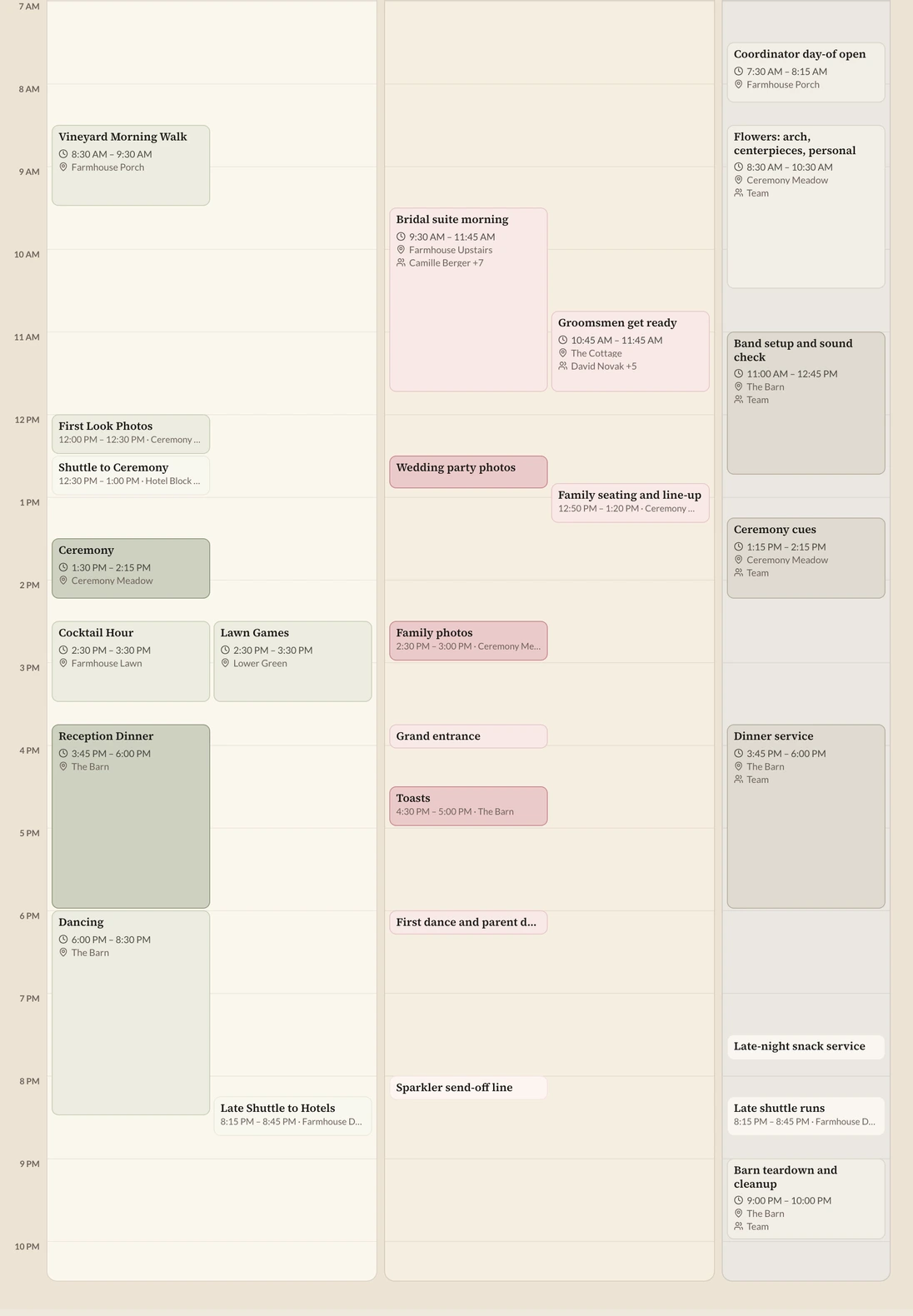
Plan the complete schedule

Include events for everyone, individual groups, and your team.

Your guests

See their own schedule

From the rehearsal dinner to bridal-party makeup: just the events they’re invited to. RSVP to optional events like shuttle rides.

You & your cohosts

Arrange table seating. Add a venue map.

Give everyone a place at the table and directions to the right place.

Your guests

Know where to go, and who’s there

Find their table and tablemates, and navigate with the venue map.

Last-minute & on the day

You & your cohosts

Adjust plans. Keep everyone updated.

Make last-minute schedule changes and send announcements to everyone or just the affected group.

Your guests

Get updates and event reminders

See schedule adjustments, receive announcements, and get a reminder before each event.

During & after

You & your cohosts

Keep the memories

View and download the photos your guests upload, all in one place.

Your guests

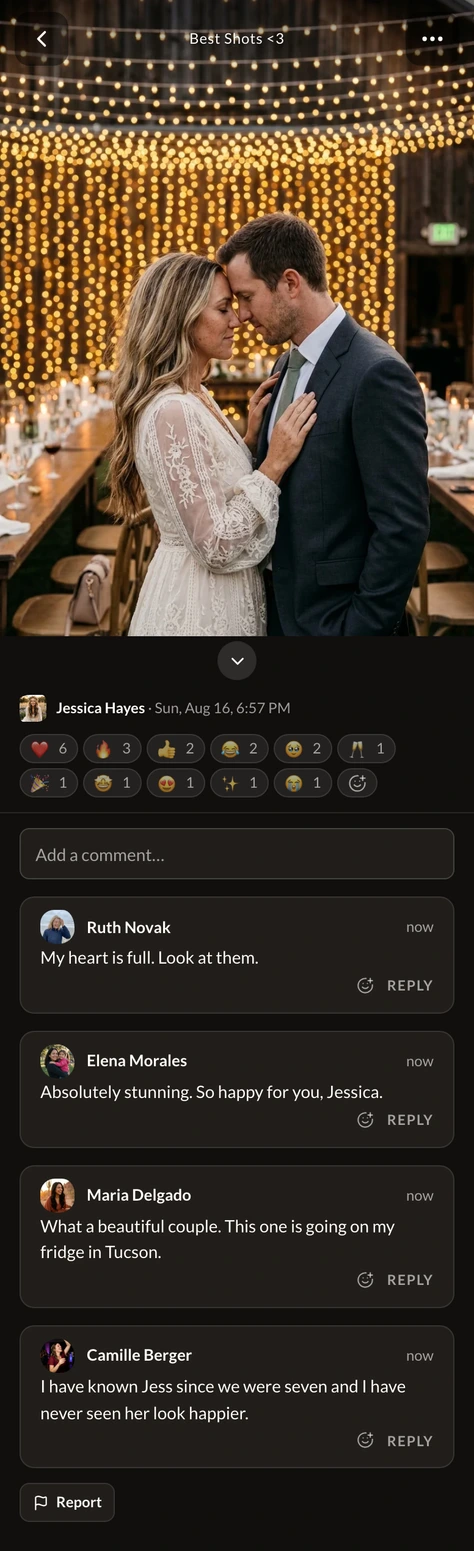
Share the moments they caught

Upload photos and browse everyone’s pictures, during the celebration and after.

  • Everyone gets a profile

  • Guests answer a few easy questions.
  • The party gets a head start on knowing each other.
  • You'll know them better too.
A guest profile in the app: photo, name, and answers to the wedding's prompts
The guest directory: a scrolling list of guests with photos and one-line introductions
  • Bouquet reaches your guests via SMS, email, and/or web notification

  • Message everyone, or just a group.
  • Guest-to-guest messages without exchanging numbers.
Bouquet
To: zoep95@gmail.com
Mar 12
New message from Chloe to Bachelorette Crew
Bouquet
Group message
Jessica & Eli

Hi Zoe,

Chloe messaged Bachelorette Crew:

We’re thinking May 1 to 3, a house in Palm Springs with a pool. Before anyone looks at flights, does that weekend work for everyone?

↩ Reply by email·Open in Bouquet
NW
Nora Whitfield
now

Funny that it took a wedding for us to properly meet. Mia is already asking about a playdate with Sam!
Bouquet ›
‹
Today3:35 PM
Jessica & Eli: The ceremony begins in 25 minutes! Please start making your way to the lawn. Phones off, or on silent if you’re taking photos. See you there!
https://bouquet.love/r/9tK4vQ2m

Auto‑introductions: ✓

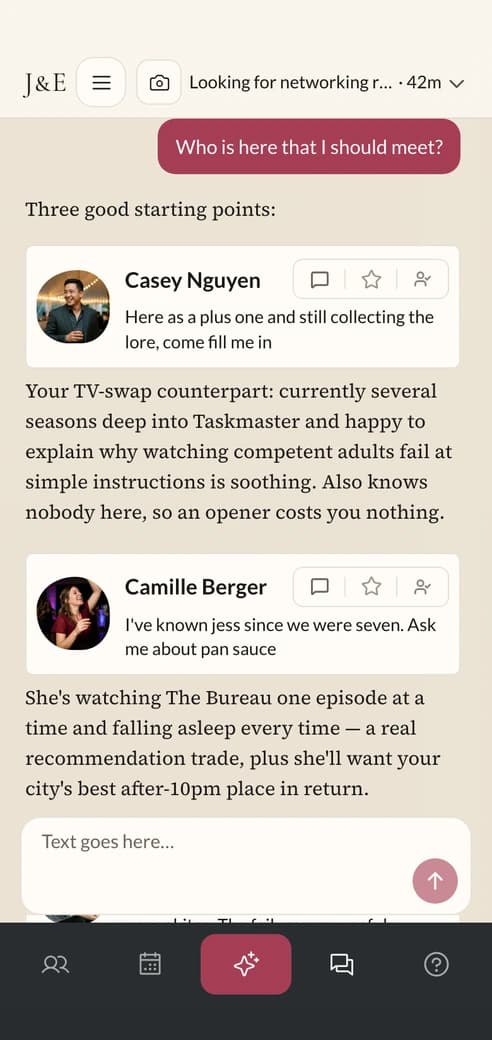
  • F1 fans? Sourdough bakers? True-crime podcast people? Birdwatchers?
  • Bouquet matches guests with common interests
  • Conversation starters included
The AI assistant answering “Who is here that I should meet?” with suggested guests and a reason for each

Group events and personalized schedules

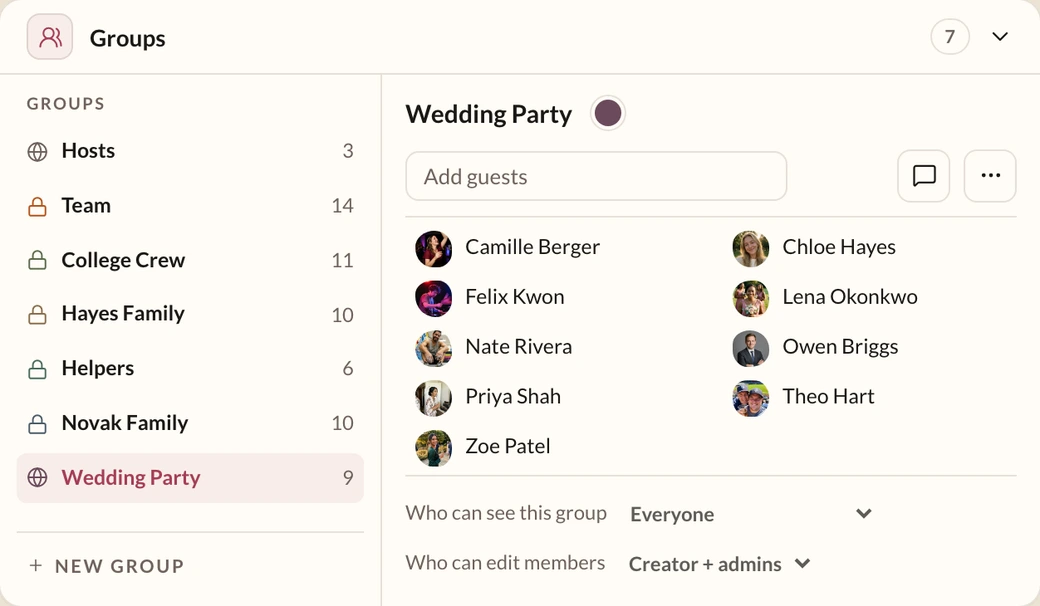
  • Sort guests and staff into groups once, then use them everywhere.
  • Bridal party sees hair and makeup, family sees the rehearsal dinner, and staff know their load-in times.
  • Guests receive 15-minute reminders before each event.
The groups panel on the guest directory: every group with its member count, and the wedding party's roster open beside them
The wedding day's schedule as the hosts see it: Everyone, Groups, and Team lanes side by side, hour by hour
  • Dress code, shuttle times, kids, dietary needs, registry, local sights, rain plan, who to ask, and the rest…
  • Every answer in one place

  • The same place as each guest's personalized schedule and inbox.
  • Templates for every kind of wedding: weekend, one-day, destination, backyard.
The wedding's info page: cards for the day's timeline, what to wear, food, kids, photos, and who to ask

Easiest photo upload ever

bouquet.love/je2026
Scan to upload
  • Zero-Friction: just scan QR code or visit the link (no account or app download required)
  • Full-Quality: images and videos stored at original quality for 24 months
  • Everyone-In: the whole party shares and reacts

You hire one photographer but get dozens

The wedding's shared album on a phone, open on a guest's album of favourites, with a video clip among the photos and an Add photos button below
A single wedding photo on a phone with the guests' reactions and comment thread under it

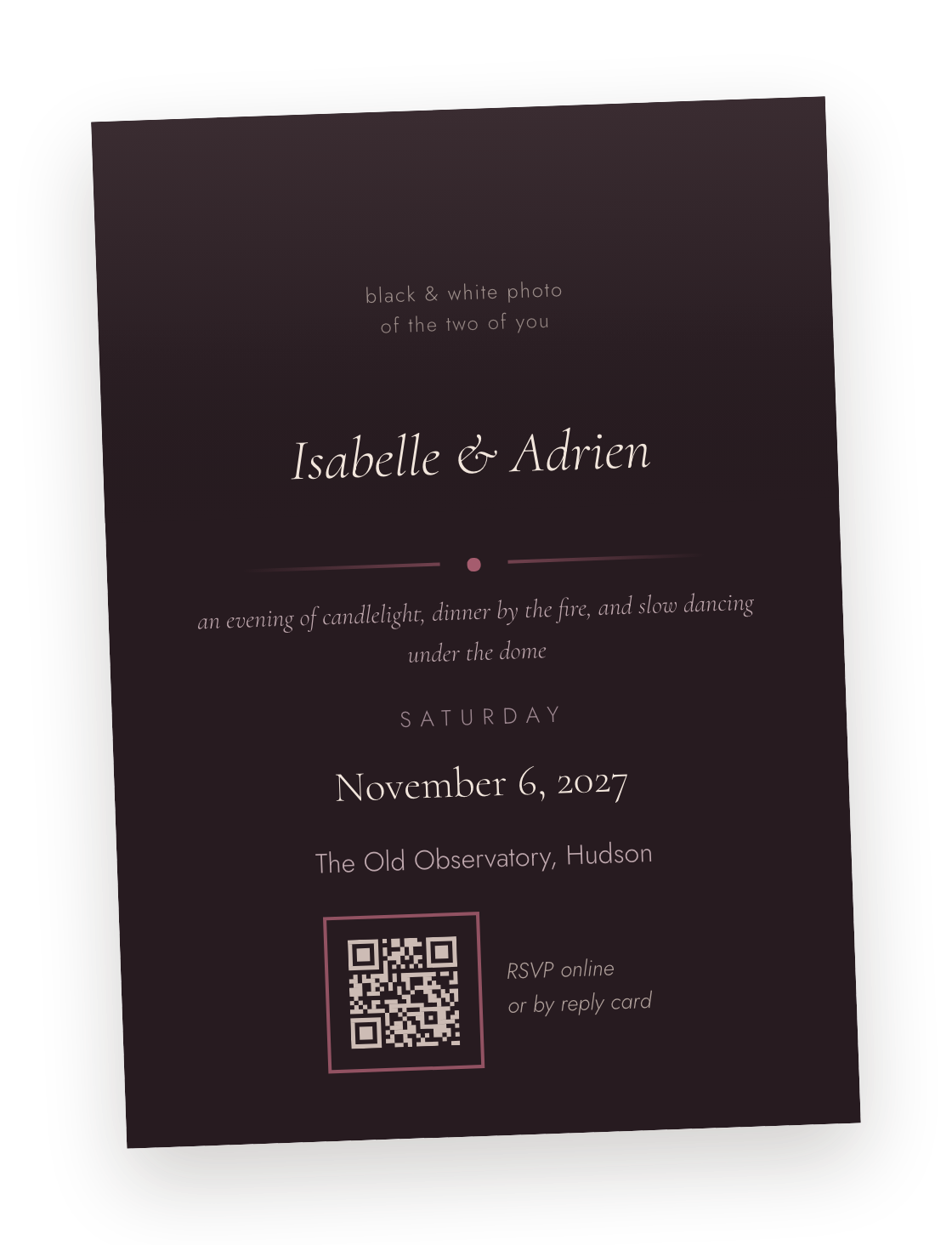
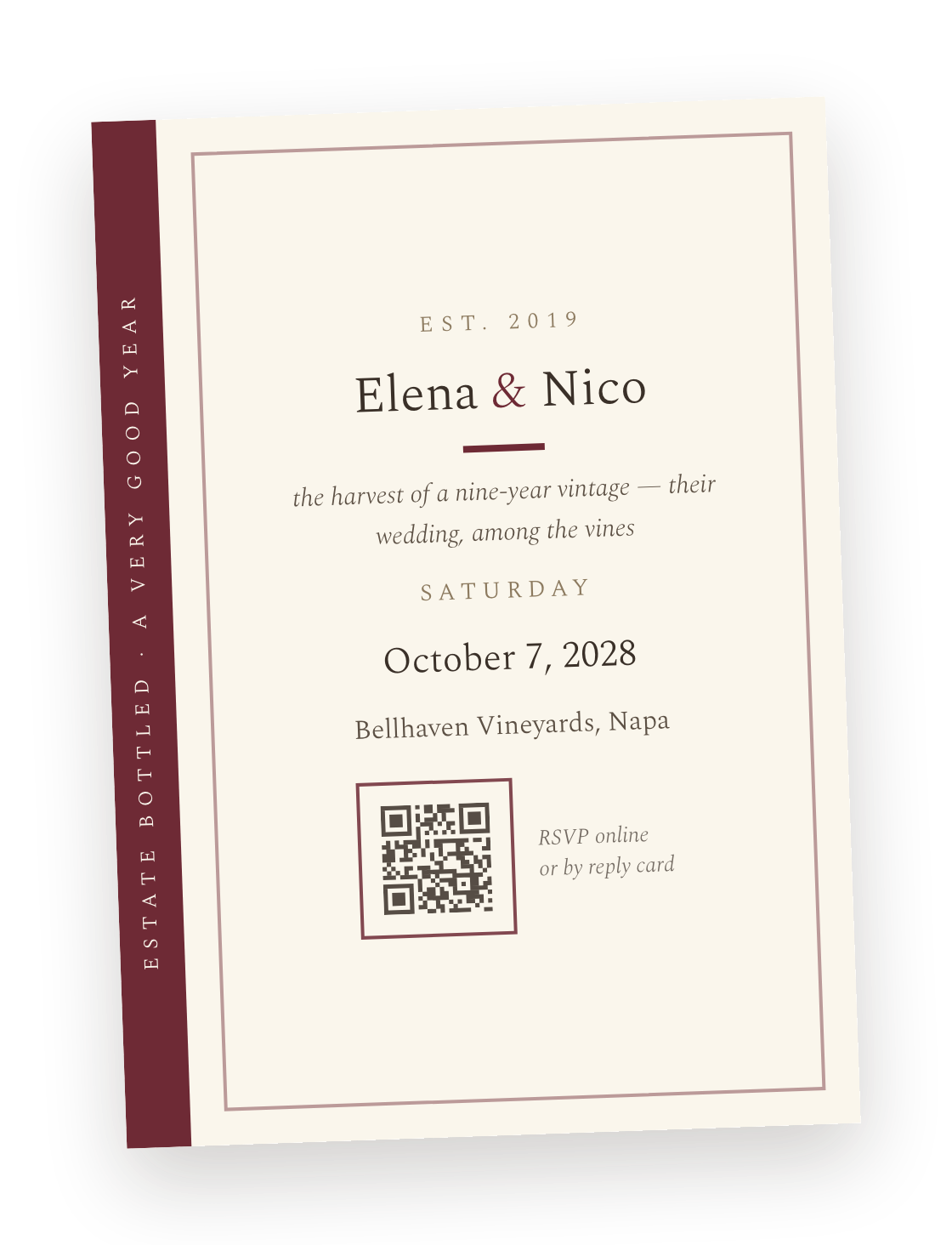
Print and digital invites

Invite guests via Bouquet or import them from elsewhere
  • Dozens of themes to choose from.
  • Flexible RSVP forms to collect +1s, dietary, song requests, and anything else.
  • Non-responders get automatic reminders.
  • Seating charts, built from the same list.

Just ask Rosie!

An AI concierge for your wedding: Rosie never sleeps and Rosie never gets tired of answering the same questions again and again.

Rosie can tell your guests anything you've included on your info page. If Rosie can't answer something, she'll pass on the message to you.

Also Rosie speaks! Guests can speak to Rosie anytime by dialing 650-37-BLOOM
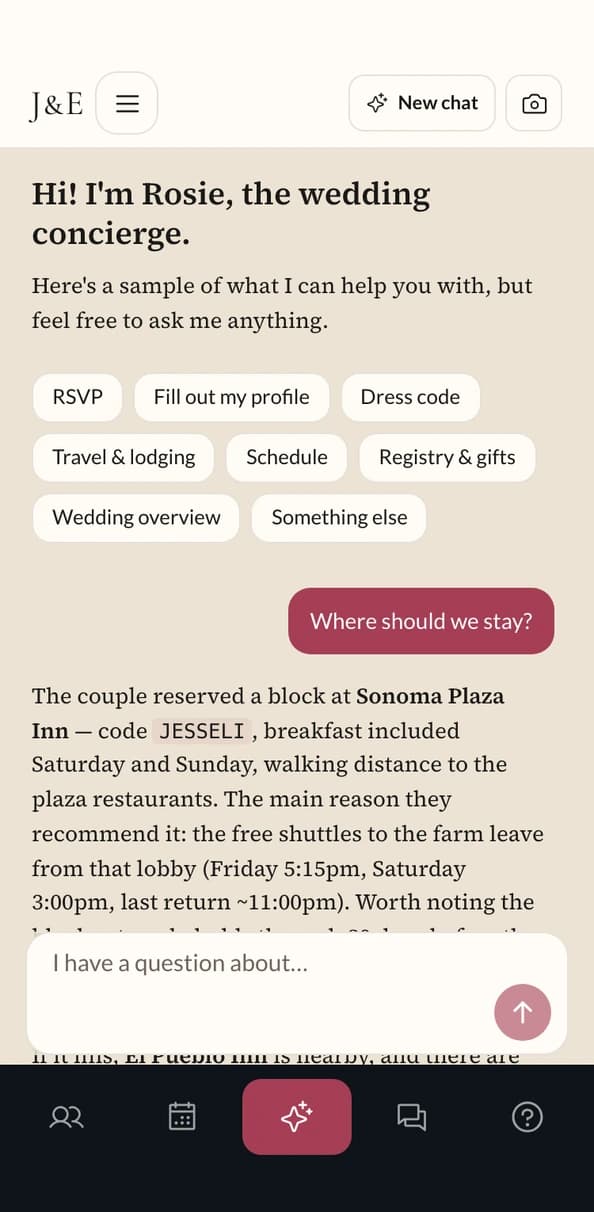
Rosie, the AI concierge, answering “Where should we stay?” with the couple's hotel block, booking code, and shuttle details
Get Bouquet

Prix fixe

No hidden fees. No card required for demo.
Print invites are priced separately.
No hidden fees. No card required for demo.
Print invites are priced separately.